Phone notifications, SMS, OTPs and calls on your PC. Files to any PC, phone or TV. Phone to phone without internet. Your phone as the TV remote. All on your own Wi-Fi, no cloud in between.
Notifications + replyOTP in one clickPhone screen on PCPhone as webcamPC ↔ PC filesTV remotePrint + scanOne mouse, two PCsSMS + callsApps in PC windowsClipboard both waysPhoto auto-backup
Phone to phone, no internetiPhone too, no appVoice search on TVPhone as touchpadVideo calls + screen shareBank + UPI guardVault: send laterCtrl + K for everythingहिंदी + EnglishFind phone, even on silentPhone as microphoneEncrypted + resumable
What it does
Stop picking up your phone. DropWave brings it to you.
Scan a QR code once. After that your phone, PCs and TVs find each other by themselves whenever they're on the same Wi-Fi. Scroll on: every feature, with its real screen.
Phone screen on PC
Use your phone without picking it up.
“I need something on my phone, but it's in the other room.”
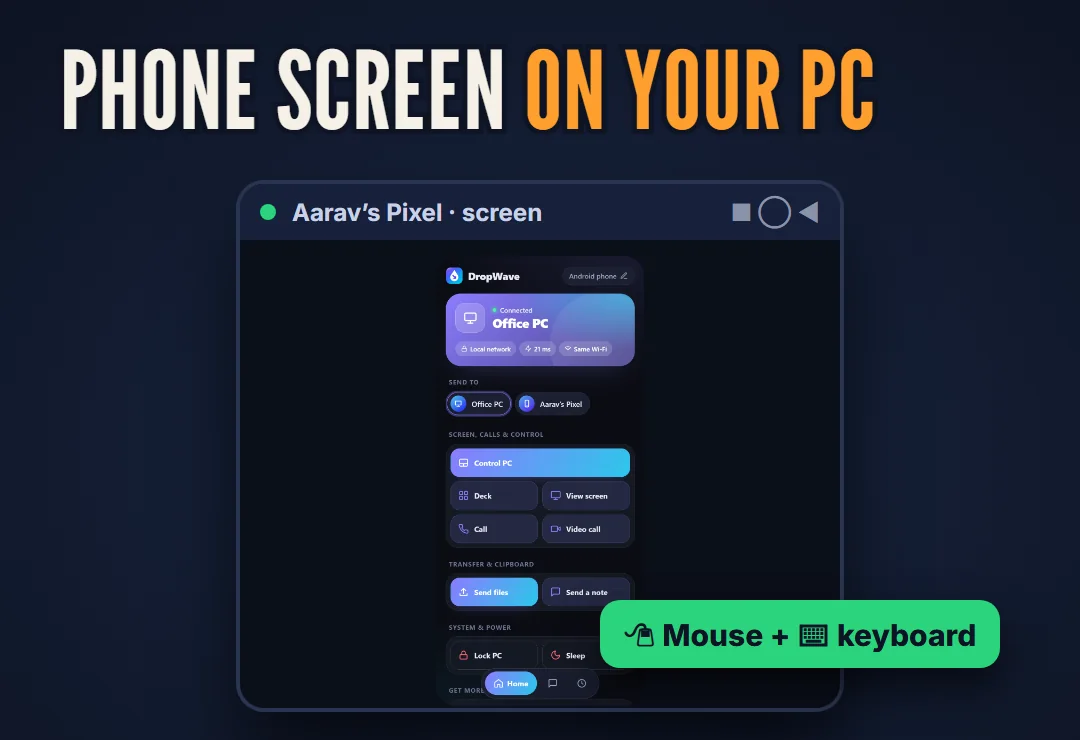
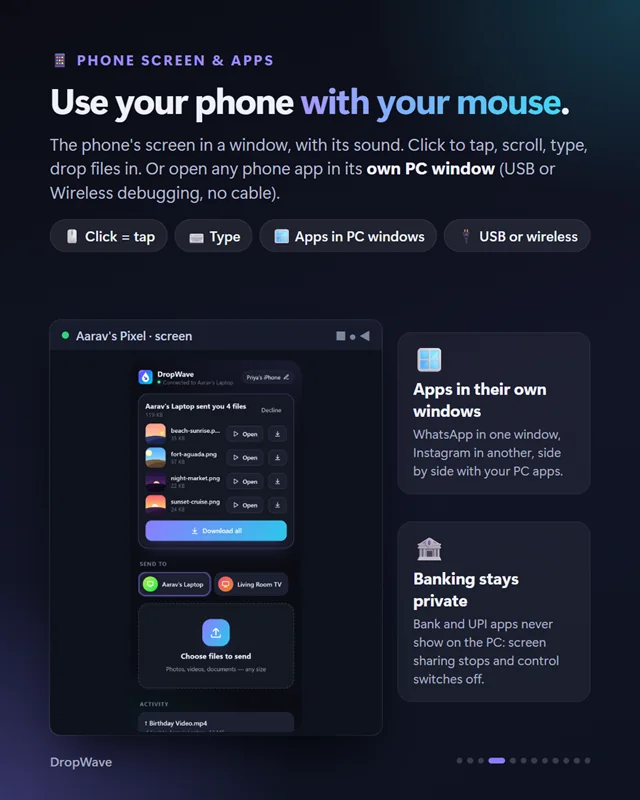
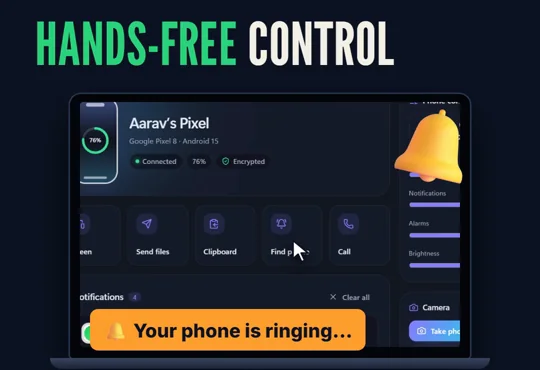
Your phone's screen opens in a window on the PC, with the phone's sound. Click to tap, scroll with the wheel, type with your keyboard.
Any phone app in its own PC window: WhatsApp in one, Instagram in another, side by side
Drop a file onto the phone window and it lands on the phone
Back, Home and recent apps from the PC; over USB or without a cable
Messages · OTP · Calls
Every ping, right where you're working.
“An OTP came. Where's my phone?”
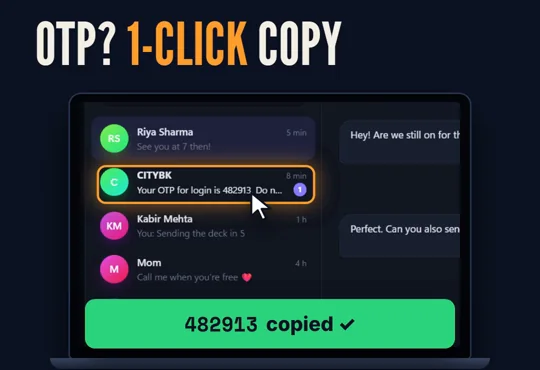
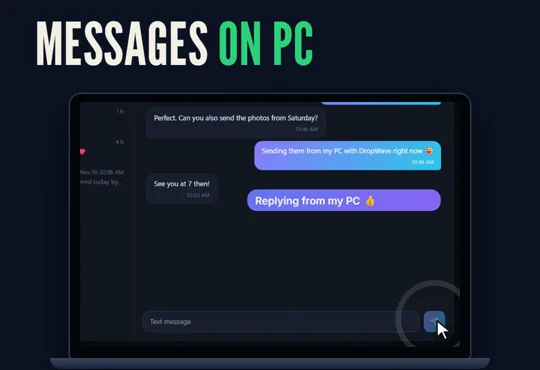
Notifications from every app show up on the PC. Reply to WhatsApp from the keyboard, read and send SMS, and copy a bank code in one click.
Smart OTP copies new codes by itself and clears them after a minute
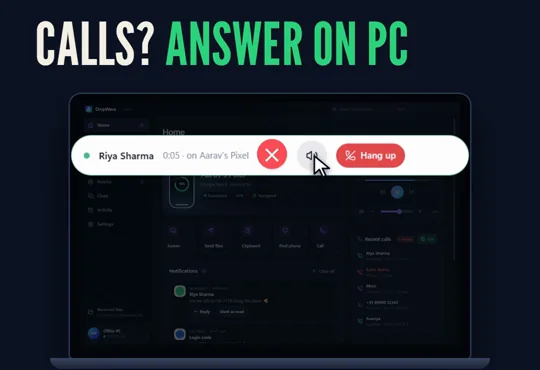
A call popup over every window: Answer, Decline, Silence, reply with a message, then Mute and Speaker
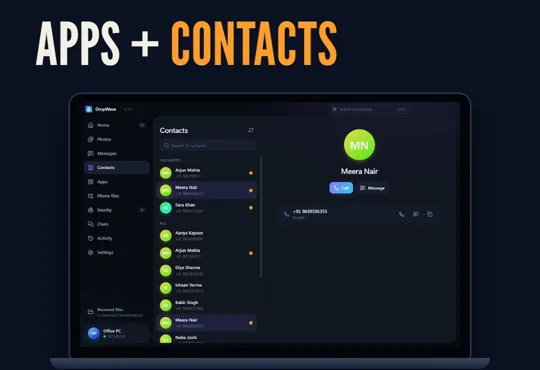
SIM and WhatsApp calls; call or text any contact from the PC
Webcam · Mic · Calls
A sharper webcam is already in your pocket.
“My laptop camera is blurry.”
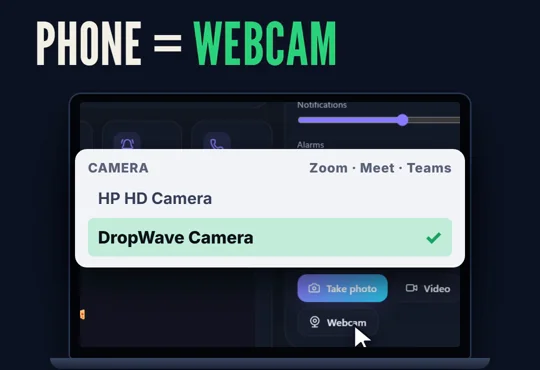
Pick DropWave Camera in Zoom, Meet or Teams (Windows 11) and your phone becomes the PC's camera. Front or back camera, torch and mirror.
The phone can be the PC's microphone too (with the free VB-CABLE)
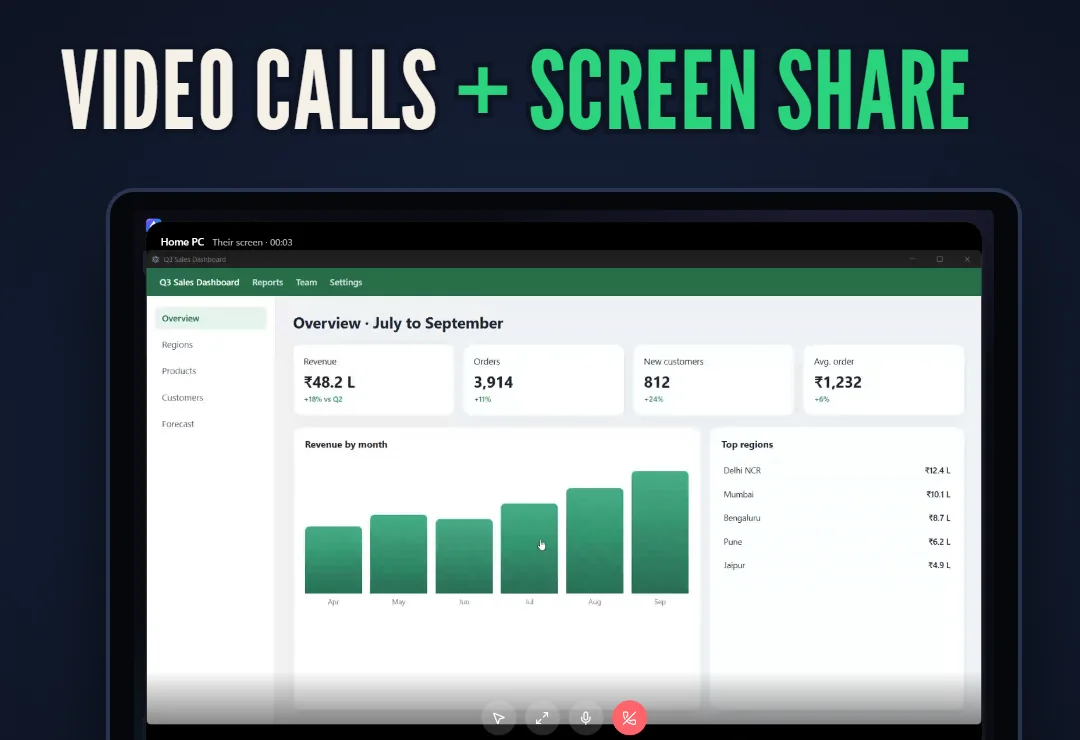
Voice and video calls between PCs and phones, with screen sharing
Take a photo or record a video on the phone from the PC
Files · Folders · Photos
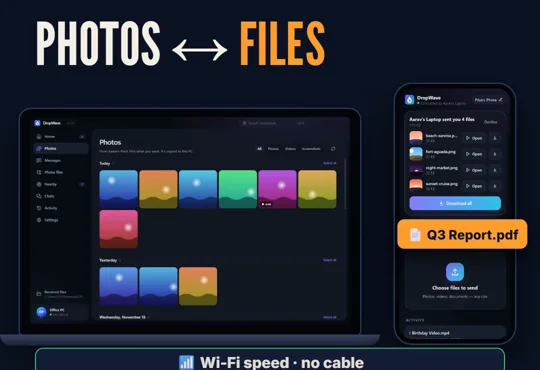
Drop a file on a device. It's there.
“The pen drive is missing again.”
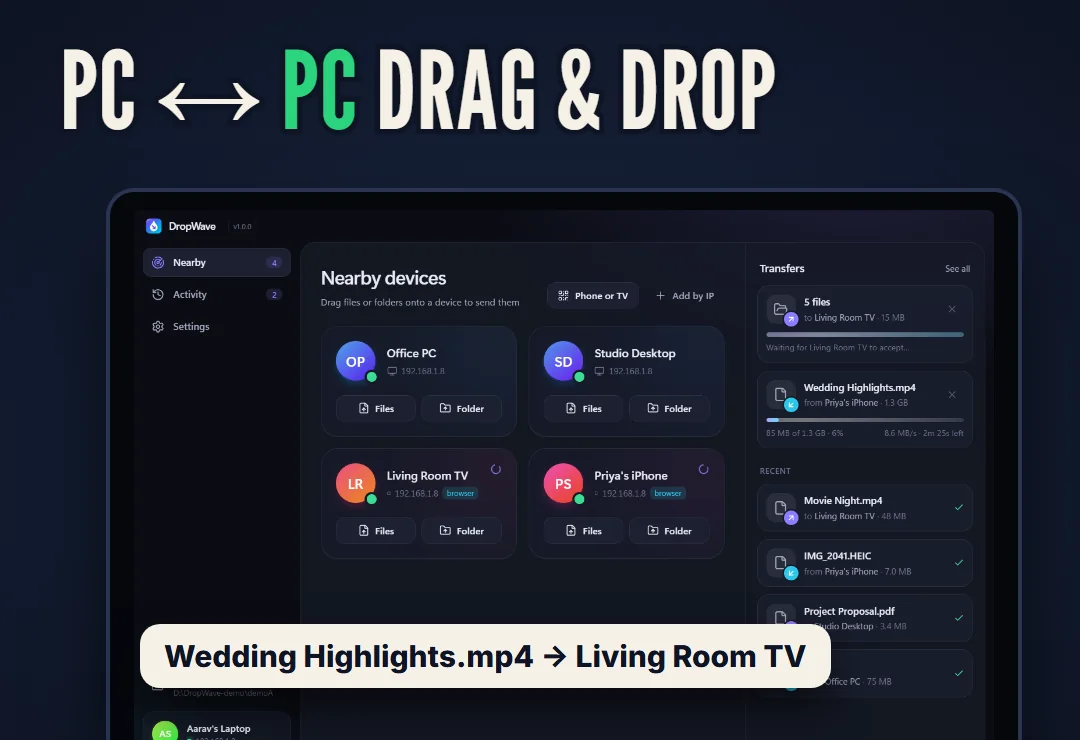
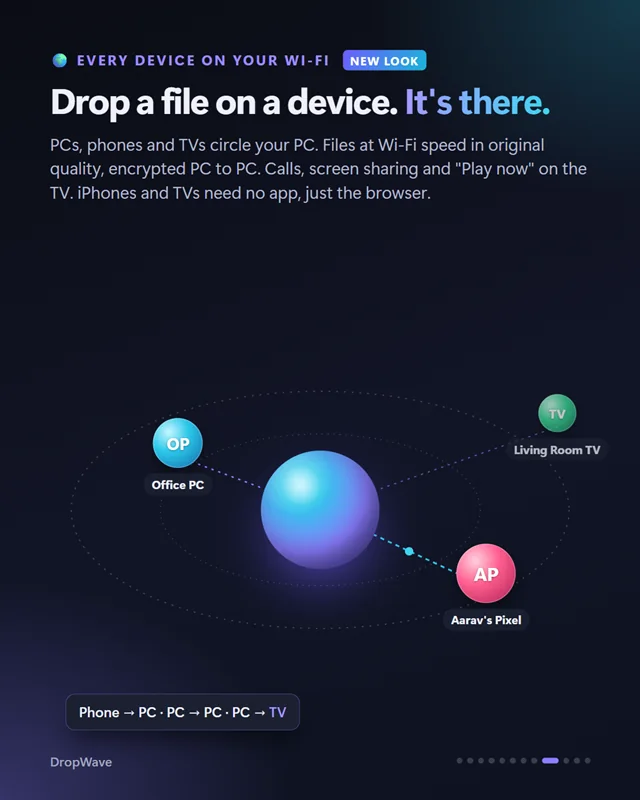
PCs, phones and TVs on your Wi-Fi find each other. Drag files or whole folders onto a device: no size limit, original quality, at Wi-Fi speed.
End-to-end encrypted PC to PC; if the Wi-Fi drops it resumes from the last byte
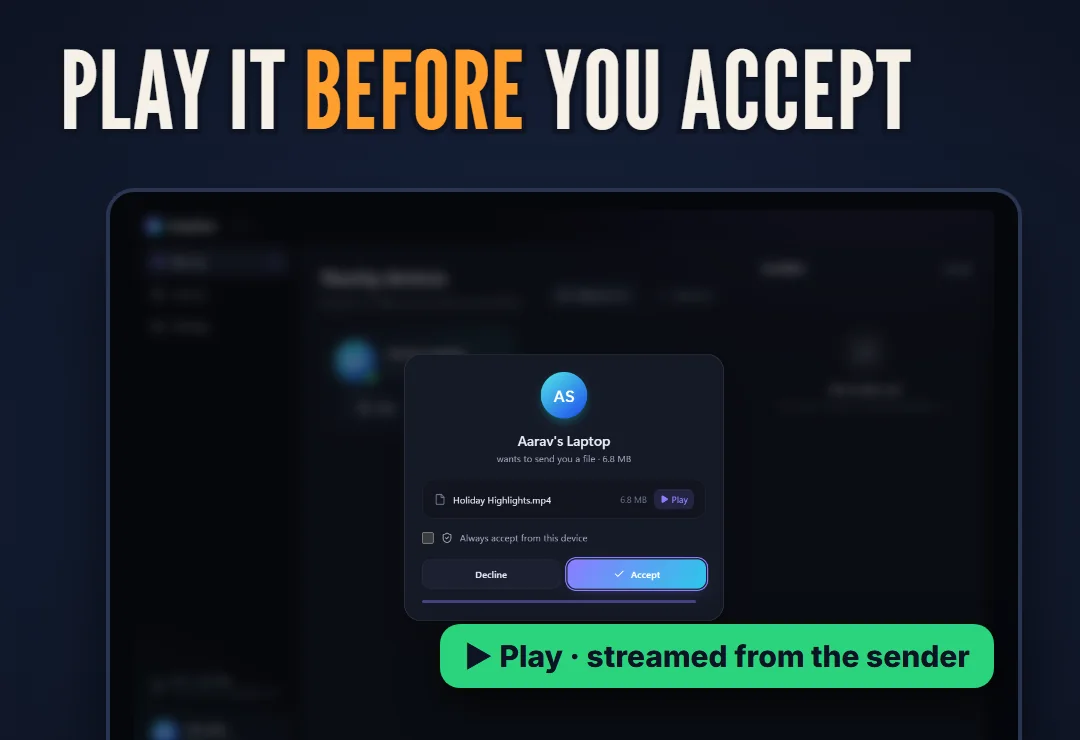
Got a 4 GB video? Press Play before you accept it
The phone's camera roll on the PC, and photo auto-backup by year and month
Right-click in File Explorer → Send with DropWave
Your TV
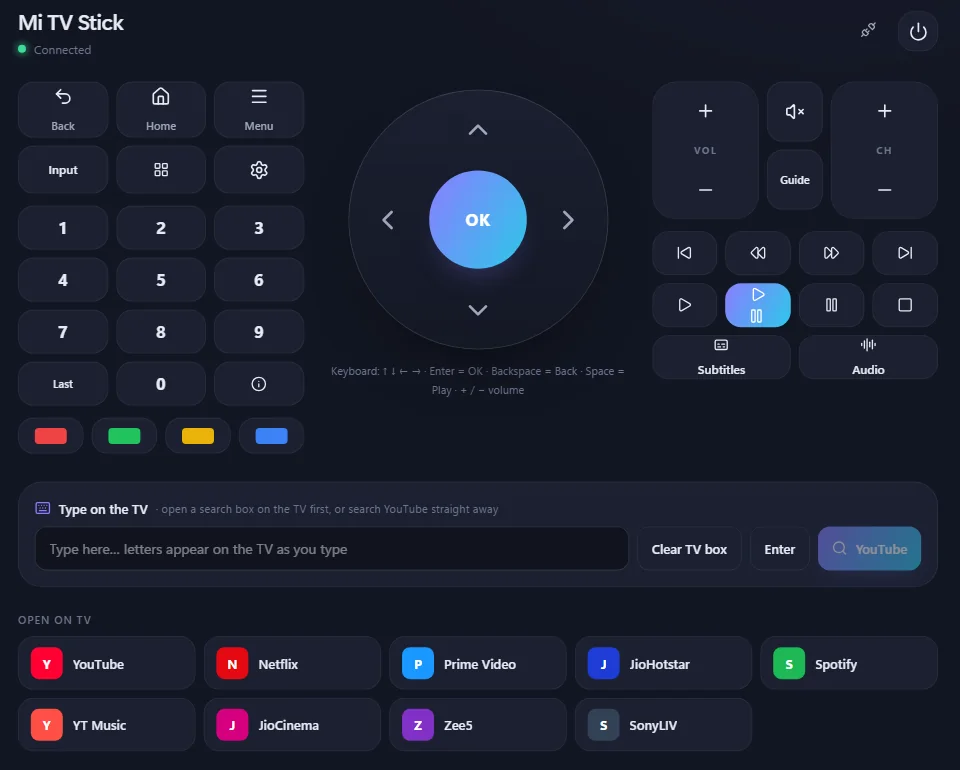
Lost the remote? You have a phone.
“The remote is lost in the sofa again.”
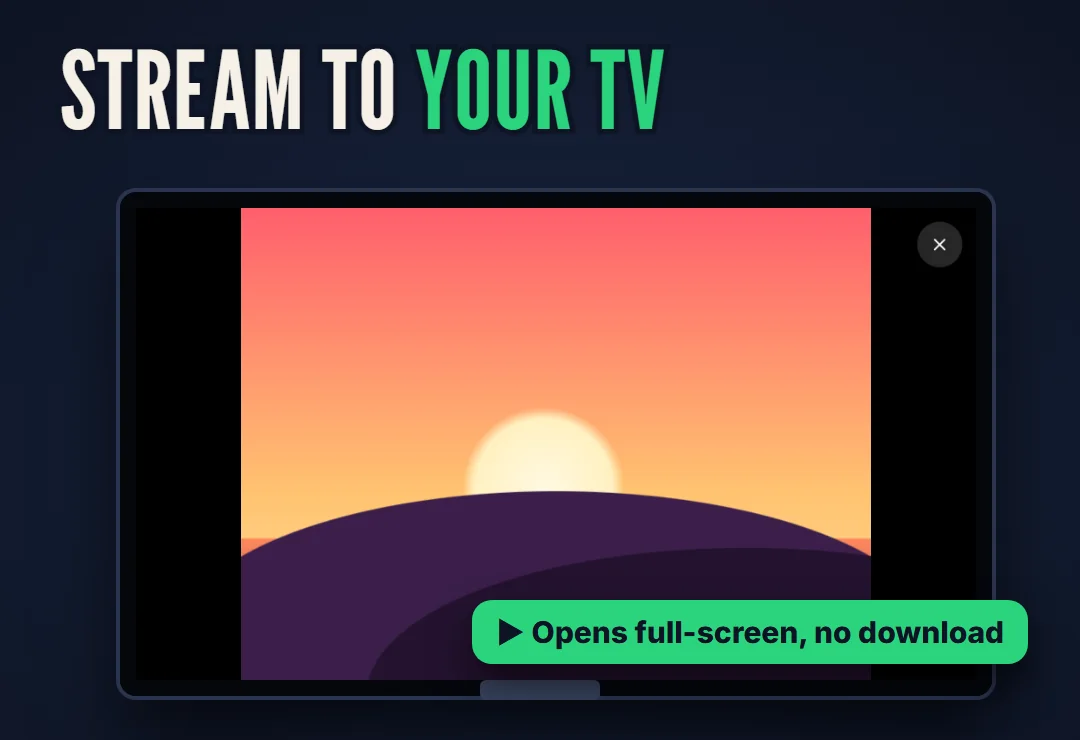
Your phone and your PC become the remote for an Android TV or Google TV: D-pad, volume, channels, numbers and playback. And any smart TV can show your photos and videos full-screen in its browser.
Voice search in English, हिंदी, मराठी, தமிழ், and typing on the TV from the keyboard
YouTube, Netflix, Prime Video, JioHotstar in one tap
Several TVs, with names; nothing to install on the TV
Control from the phone
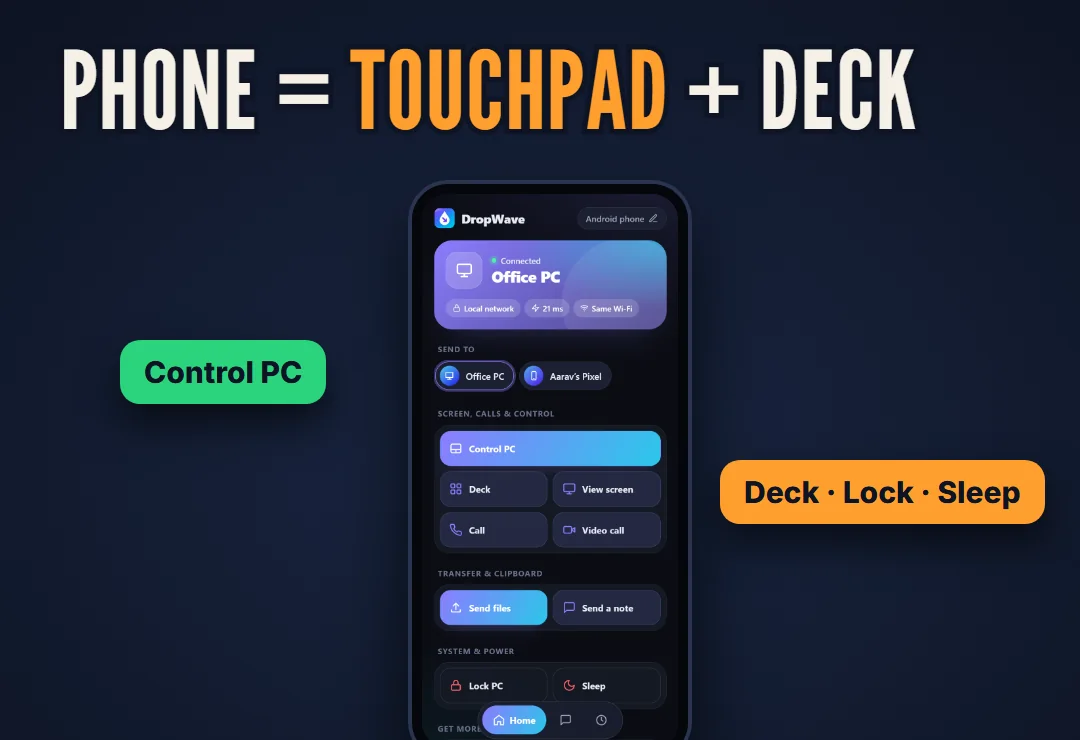
Your phone becomes a touchpad and a Deck.
“The slides are on the laptop, and I'm across the room.”
Control PC turns the phone into a touchpad and keyboard. The Deck gives you big buttons for media, volume, slides, Lock and Sleep.
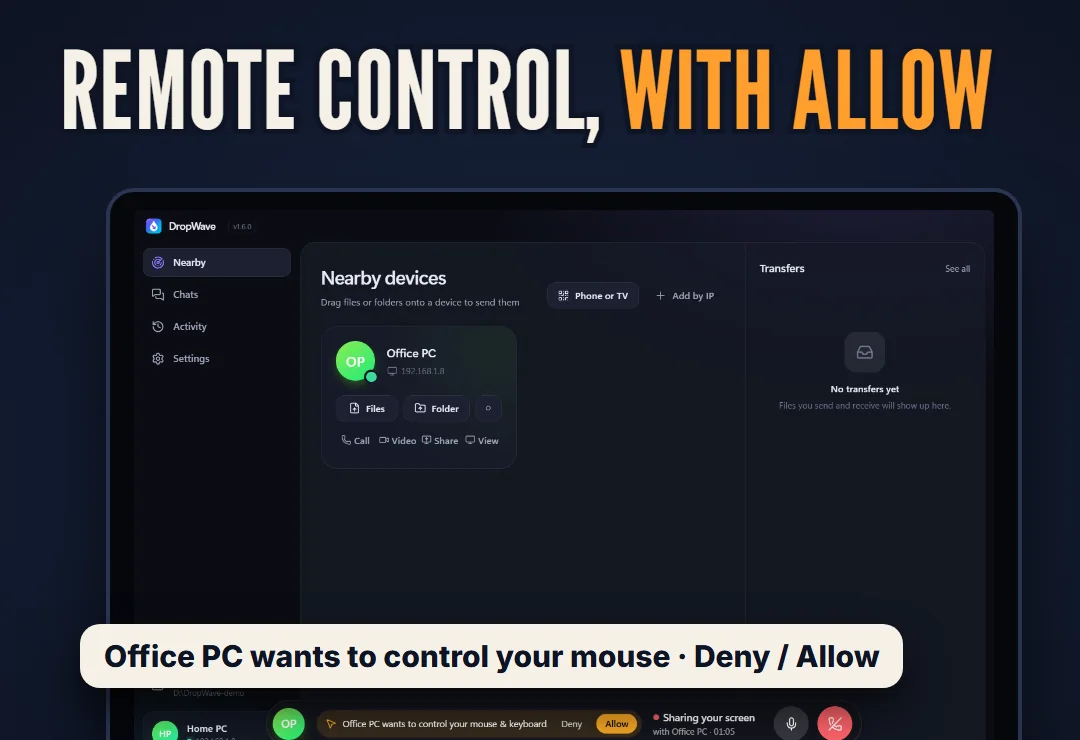
Drive another PC's mouse and keyboard; it asks first, and Stop ends it
Phone controls from the PC: torch, Do Not Disturb, volume, brightness, lock
Find phone rings it, even on silent
Print · Scan · Two PCs
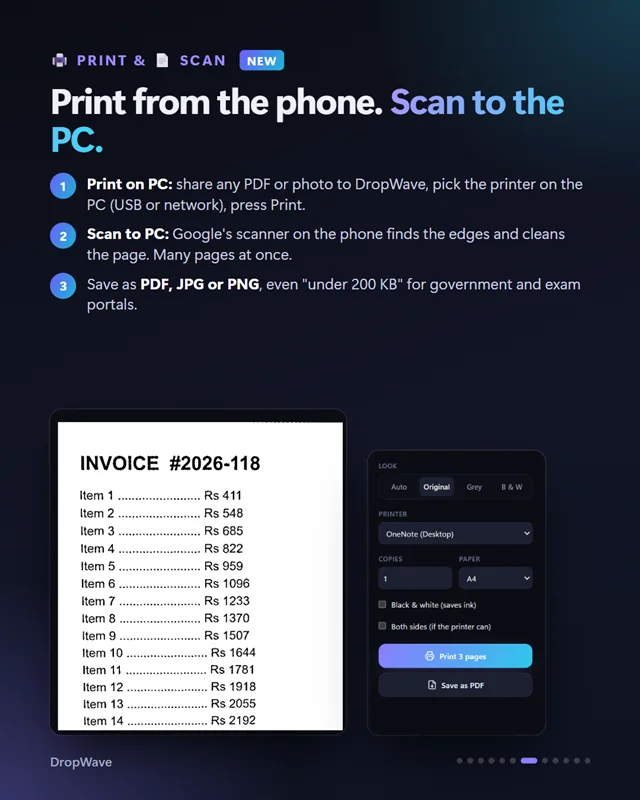
Print from the phone. Scan to the PC.
“The form wants a PDF under 200 KB.”
Share a PDF or photo to DropWave and print it on any printer the PC can use. Scan pages with the phone and save them as PDF, JPG or PNG, even under 200 KB for government and exam portals.
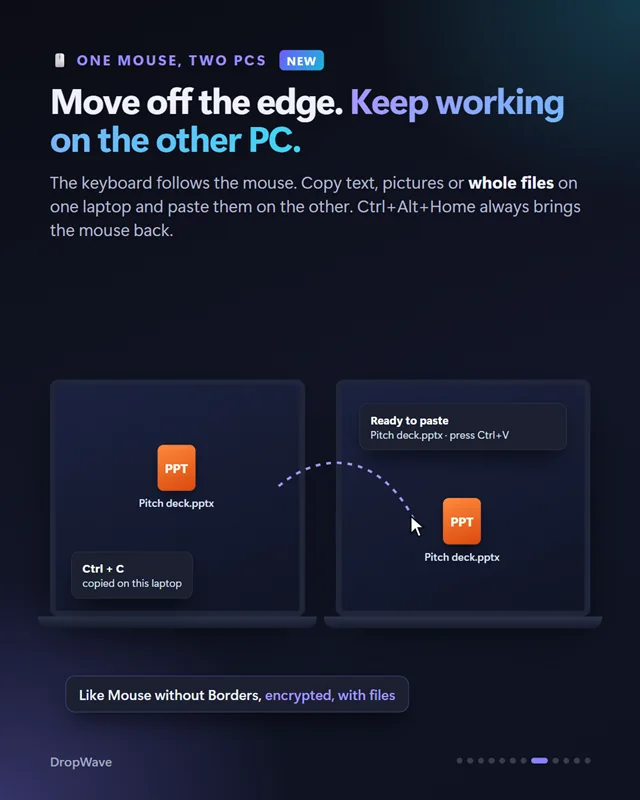
One mouse and keyboard for two PCs: move off the edge and keep working on the other one
Copy text, pictures or whole files on one PC, paste on the other
No internet needed
Phone to phone. No data, no ads.
DropWave makes its own Wi-Fi. The other phone doesn't need DropWave, and iPhones work too.
Pick what to sendPhotos, videos, installed apps, contacts or files.
The other phone scans the QR codeWith its camera. With DropWave on both, the same Wi-Fi doesn't even need a QR.
It downloads in the browserIn full quality, at full speed. Photos land in the Gallery.
Asks before anyone sends to youTrusted phonesMove to a new phone in one go
Send to a nearby phone
38 photos selected
Show QR code
192.168.49.1:8080
Aarav is sending 38 photos
24 / 3831 MB/s
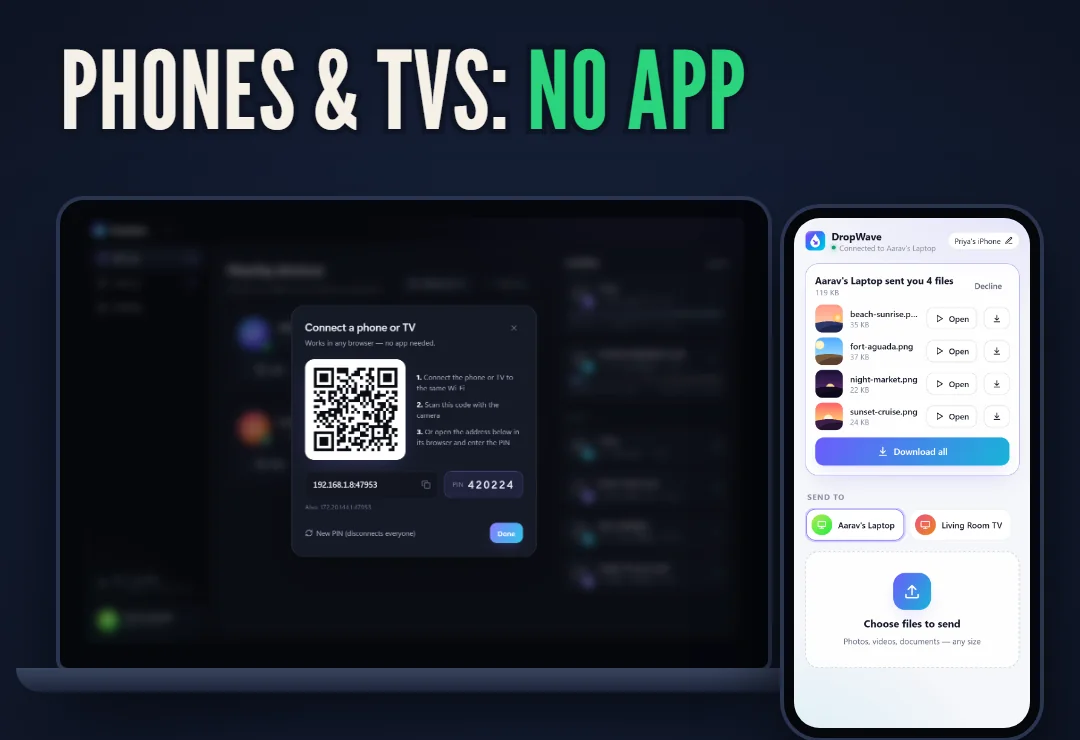
No internet, no app. Just the browser.
✓ Saved to Gallery
And there's more
Small things you'll use every day.
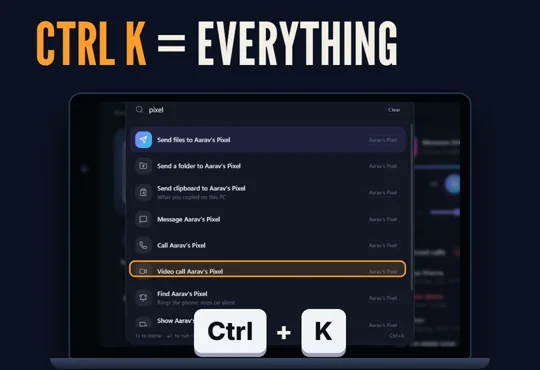
Ctrl + K for everything
One search box: send a file, call, message, find the phone, switch the theme.
Apps and contacts
Open, uninstall or copy the APK of any app. Search and call your contacts.
iPhones and TVs: no app
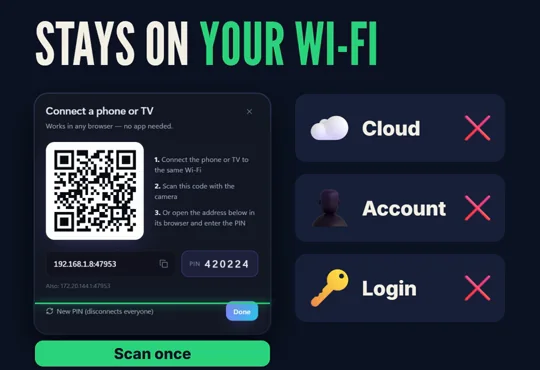
Scan the QR code and enter the PIN. Any browser can send and receive files.
Nearby, in 3D
Your PC is a turning globe; PCs, phones and TVs circle it. Drop files on any of them.
Vault: send it later
PC off or phone away? A link, note or file waits in the Vault and goes by itself when they meet again.
Clipboard both ways
Copy on one, paste on the other. A Send clipboard tile on the phone too.
Looks the way you like
Auto, Light or Dark, four styles, nine accent colours, in हिंदी or English.
Can I trust it?
Your things stay at home.
DropWave has no server. Your files, messages and calls only travel between your own devices.
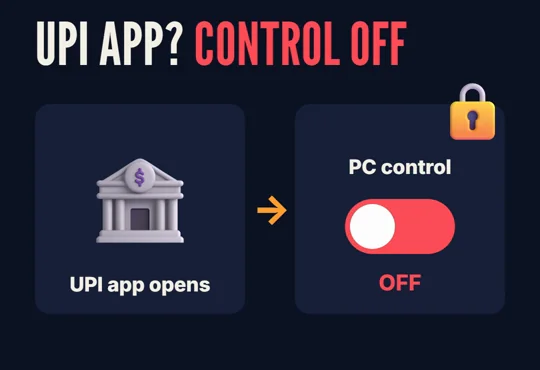
Bank and UPI apps stay private
When a bank or UPI app opens on the phone, control from the PC switches off, screen sharing stops, and banking apps never open in a PC window.
No cloud. No account. No login.
Scan a QR code once. Every feature has its own switch on the phone, and one tap turns everything off.
Every line is public
DropWave is open source (MIT). Anyone can read on GitHub what it does, and what it doesn't.
Encrypted, and it asks first
A PIN to pair, Accept before every file. TLS 1.3 to the phone, X25519 + AES-256-GCM between PCs.
Why does Windows warn?
The installer isn't code-signed yet and the APK isn't from the Play Store. The warning is about where it comes from, not what it does. On Windows: More info → Run anyway.
Check your download
Every release comes with SHA256SUMS.txt. Every DropWave APK is signed with the same key, SHA-256 fingerprint:
Phone and PC on the same Wi-Fi, no internet needed. More PCs? Install on each; they find each other.
FAQ
Questions people ask
Is DropWave really free?
Yes. No ads, no account, and the features that are free today stay free.
Does it need the internet?
No. The phone and PC only need to be on the same Wi-Fi. Phone to phone doesn't even need a Wi-Fi: DropWave makes its own.
Does it work with an iPhone or a Mac?
The app is for Windows and Android. iPhones and any browser can send and receive files without the app.
How is it different from the phone app built into Windows?
It needs no Microsoft account, it sends files PC to PC and to TVs, it shares phone to phone without internet, it's a TV remote too, and all of its code is public.
What if the phone is locked?
It keeps working. Notifications, calls and files come through on a locked phone, and the phone reconnects to the PC by itself.
Something isn't working?
Run Settings › Network check on the PC: it fixes the usual causes, like a Public network or the firewall, in one click. Still stuck? Tell us on GitHub.
 DropWave